
Finding yourself locked out of your primary digital life is a modern nightmare. Whether you have lost your phone, forgotten your password, or left your trusted devices behind, account recovery has traditionally been a stressful bureaucratic hurdle.
Recognizing this pain point, Google has introduced a new, cutting-edge option to make account recovery smoother and more secure: Selfie Video Sign-In.
Here is everything you need to know about how this feature works, how to set it up, and what it means for your digital privacy.
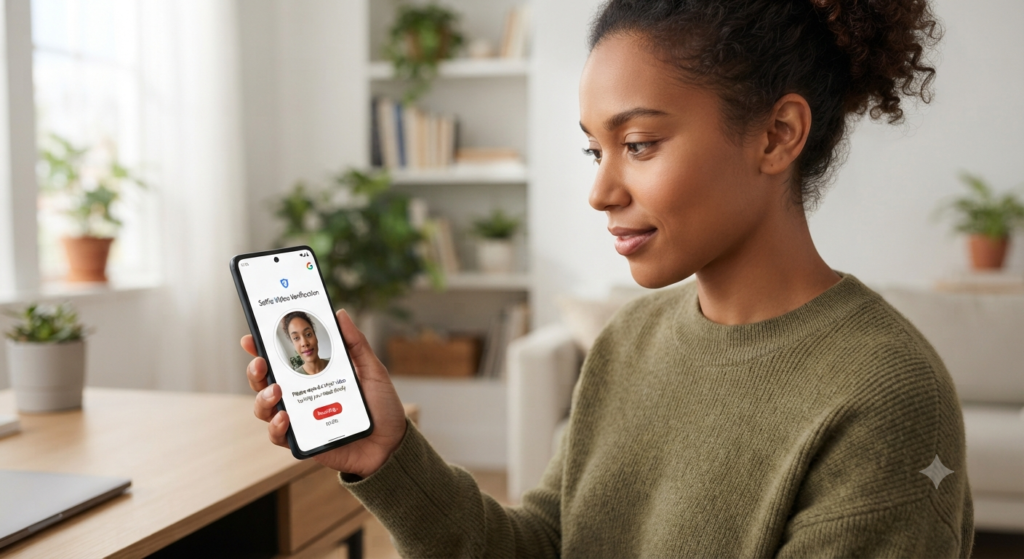
What is Google’s Selfie Video Sign-In?
The selfie video feature acts as a robust backup method for Google Account recovery. It is designed to work alongside existing recovery tools like passkeys, backup codes, and recovery contacts.
Instead of relying solely on SMS codes (which can be intercepted) or recovery emails (which you might also be locked out of), Google now allows you to use your face as a verification anchor if you ever find yourself stranded away from your usual devices.
How Does It Work?
Setting up and using the feature is designed to be a quick, guided process:
- The Setup: You opt-in by heading to your Google Account settings and selecting the selfie video setup. The system prompts you to look at your device’s camera and complete a series of brief, guided head movements. This allows Google to capture multiple angles of your face.
- The Recovery: If you are ever locked out and need to verify your identity, you record a new short video. Google’s system compares the new recording against your stored reference video to confirm it is really you.
Combating Deepfakes and Impersonation
To protect against bad actors using static photos, pre-recorded loops, or AI-generated deepfakes, Google’s system incorporates advanced liveness checks. It evaluates live head movements, device sensor data (like accelerometer feedback), and standard security context (such as your typical browser settings, IP address, and device integrity) to ensure a genuine capture.
Privacy and Control: What You Need to Know
Because biometric data is intensely personal, privacy is naturally a major consideration for users adopting this feature. Google has built several guardrails into the rollout:
- Strictly Opt-In: The feature is entirely optional.
- Encrypted Storage: Reference videos are encrypted while stored on Google’s servers.
- User Control: You can delete your saved selfie video at any time directly through your Google Account settings.
- Usage Limitations: By default, your video is used only for account recovery. Google requires separate, explicit consent if you ever choose to let them use the data for additional purposes, such as improving facial recognition technology.
- Exclusions: Currently, the feature is unavailable for Google Workspace accounts, child accounts, and accounts enrolled in the high-security Advanced Protection Program.
How to Set Up Selfie Video for Your Account
If you want to add this safety net to your Google Account, follow these quick steps:
- Head to your Google Account security settings page (or visit
g.co/signin-selfie). - Locate the section for “Selfie video” under how you sign in to Google.
- Click Continue and follow the on-screen prompts to complete your guided head movements.
Final Thoughts
While cybersecurity experts always urge a degree of caution when sharing biometric data—reminding us that unlike passwords, your face cannot easily be “reset” if compromised—Google’s selfie video feature offers a practical lifesaver for permanent lockouts.
By balancing convenience with multi-layered liveness detection and strict user controls, Selfie Video Sign-In marks a significant step forward in making account recovery resilient against modern threats.