Best free video editing apps for Android: a practical guide
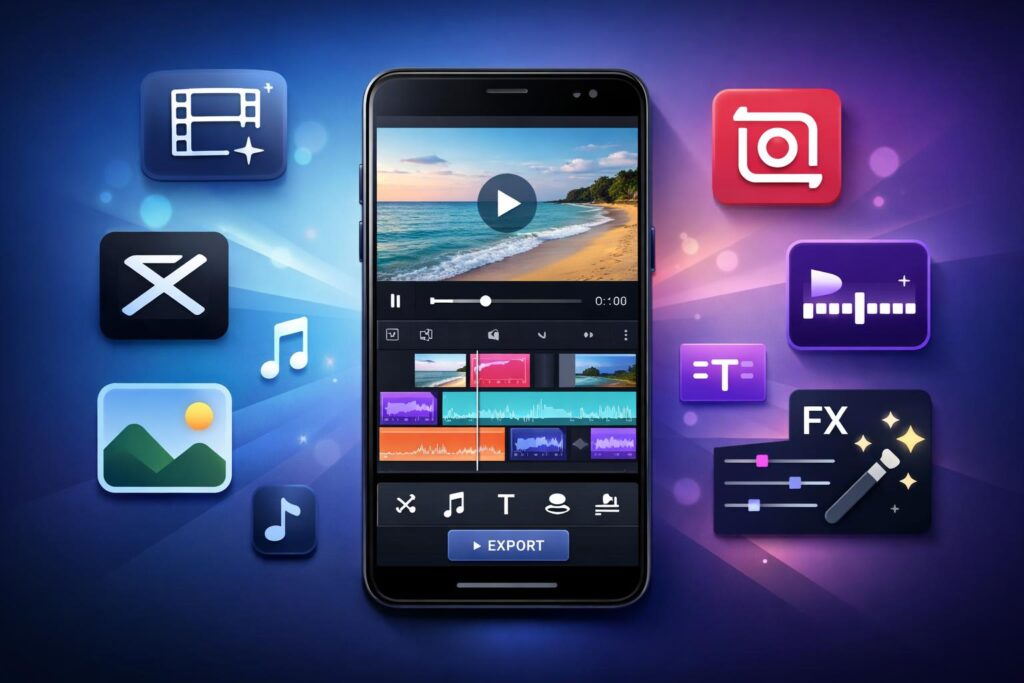
Best free video editing apps for Android have become essential tools for creators, students, small businesses, and everyday users. Short videos dominate platforms like YouTube, Instagram, and TikTok, and Android users want apps that work smoothly without forcing paid upgrades at every step.
The good news? Several Android apps deliver solid editing features for free. The tricky part is choosing the right one without falling for flashy marketing or fake “free” claims.
This guide focuses on real, trusted, and widely used apps. Each recommendation comes from established developers with millions of users. No imaginary features. No unrealistic promises. Just honest tools that help you edit better videos on your phone.
What makes a good free video editing app on Android?
Before diving in, let’s define “good.” A free app should:
- Offer usable features without forcing payment
- Export videos without heavy watermarks (or with optional ones)
- Run smoothly on most Android devices
- Come from a reputable developer
- Receive regular updates
If an app fails on these basics, it doesn’t deserve your time—or your storage.
Best free video editing apps for Android you can trust
1. CapCut
CapCut stands out as one of the best free video editing apps for Android right now. Developed by ByteDance (the company behind TikTok), it focuses on fast, social-ready edits.
Why people like it
- No mandatory watermark
- Easy timeline editing
- Built-in effects, transitions, and captions
CapCut works well for reels, shorts, and casual YouTube videos. The interface feels friendly, even if you’ve never edited before.
Best for: Social media videos, short-form content
Limitations: Advanced features require internet access
2. VN (VN Video Editor)
VN Video Editor offers a clean, professional editing experience without pushing subscriptions aggressively. Many creators prefer it for its balance between simplicity and control.
Why it works
- Multi-layer timeline
- No watermark
- Manual control over speed, audio, and filters
VN feels closer to desktop editors than most mobile apps, which makes it great for longer videos.
Best for: YouTube videos, educational content
Limitations: Smaller effects library compared to CapCut
3. InShot
InShot has built a strong reputation among Android users who want fast edits with good results. It offers trimming, music, stickers, and text in a simple layout.
Why people use it
- Easy learning curve
- Good export quality
- Popular for Instagram and WhatsApp videos
The free version adds a small watermark, which many users find acceptable.
Best for: Beginners and casual editing
Limitations: Watermark in free version
4. KineMaster
KineMaster brings professional-style tools to Android. It supports multiple video layers, chroma key, and precise audio control.
Why it stands out
- Advanced editing tools
- Accurate timeline controls
- Large asset store
The free version includes a watermark, but the toolset remains impressive.
Best for: Advanced users, detailed edits
Limitations: Watermark unless upgraded
5. Adobe Premiere Rush
Adobe Premiere Rush brings Adobe’s editing philosophy to mobile. It syncs well with desktop workflows and focuses on clean, polished results.
Why it’s reliable
- Simple interface
- Stable performance
- Trusted Adobe ecosystem
The free plan allows limited exports, which suits occasional editors.
Best for: Clean edits and cross-device workflow
Limitations: Export limits in free version
6. Google Photos (Basic Editing)
Google Photos isn’t a full editor, but it handles quick trims and adjustments reliably. Since it comes pre-installed on many devices, it’s worth mentioning.
Why it helps
- No extra installation
- Stable and fast
- Clean exports
Best for: Quick trims and basic edits
Limitations: No advanced features
How to choose the best free video editing app for Android
Choosing the right app depends on your goals:
- Short videos and reels: CapCut, InShot
- YouTube and long videos: VN, KineMaster
- Clean, minimal editing: Adobe Premiere Rush
- Quick fixes: Google Photos
Avoid installing multiple editors at once. One good app beats five unused ones.
Common myths about free video editing apps
Let’s clear some confusion.
❌ Free apps always ruin quality
✔ Most modern apps export in HD or higher.
❌ You need paid apps for good videos
✔ Skill matters more than price.
❌ Free means unsafe
✔ Trusted developers follow platform security rules.
Good editing comes from practice, not subscriptions.
Tips to get better results on Android
- Edit in landscape for YouTube, vertical for reels
- Keep clips short and focused
- Use fewer transitions for a cleaner look
- Check audio levels before exporting
Your phone is powerful. Let the app help, not overwhelm you.
Are free video editing apps safe to use?
Apps listed here come from established developers and appear on the Google Play Store with millions of downloads. Always:
- Read app permissions
- Update apps regularly
- Avoid unofficial APKs
Sticking to Play Store apps reduces risk significantly.
Final verdict: which app should you start with?
If you want a simple answer:
- Overall best: CapCut
- Best without watermark: VN
- Best for beginners: InShot
- Best advanced tools: KineMaster
Each app earns its place by delivering real value in the free version.
Summary
The best free video editing apps for Android don’t require tricks or hacks. They already exist, and they work well. Choose one that matches your style, practice regularly, and focus on storytelling rather than effects.
Great videos don’t come from expensive tools. They come from clear ideas and clean edits.