
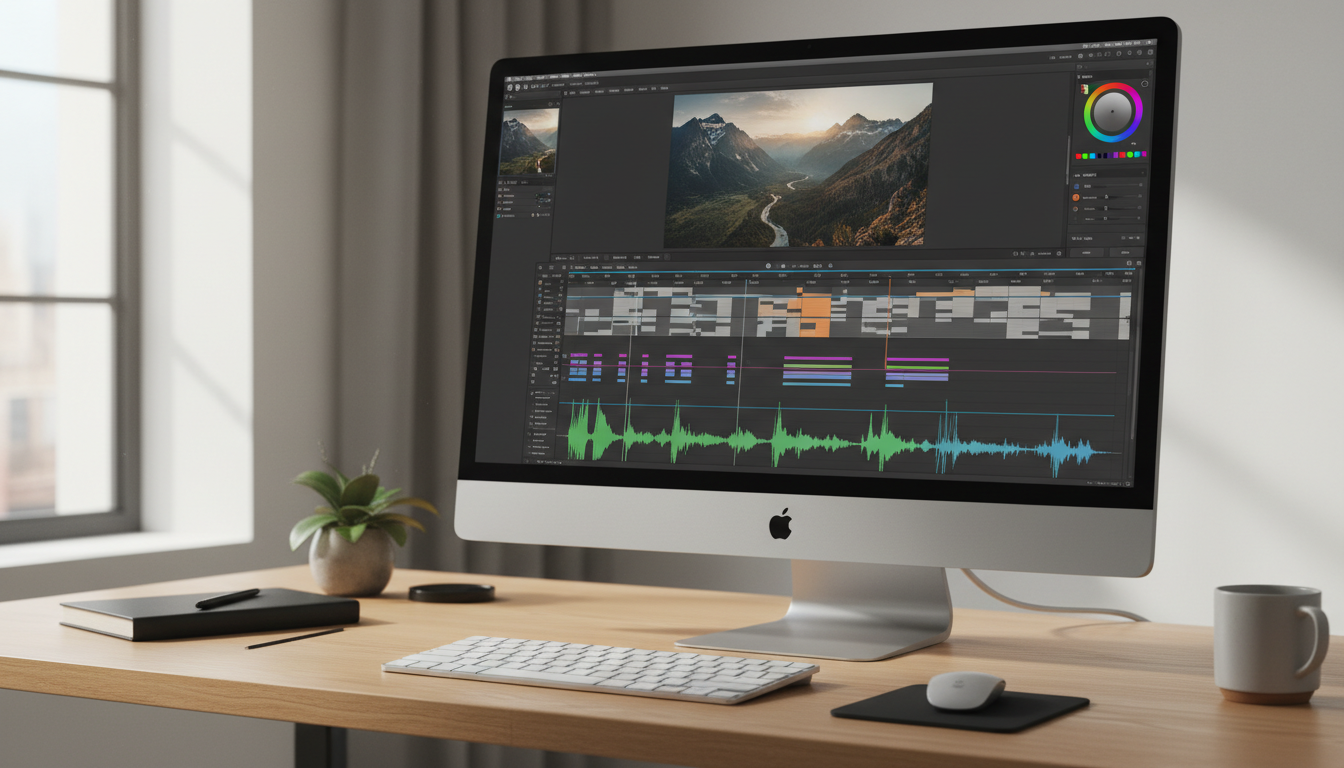
Instagram is expanding its video-editing app beyond smartphones. The company has launched Edits for Mac, giving creators a larger desktop workspace and more precise tools for producing short videos, Reels and other social content. The free macOS app brings a multi-track timeline, keyframe controls, colour-grading tools and watermark-free 4K exports to compatible Apple computers.
What is Instagram Edits for Mac?
Edits is Instagram’s video-creation app, originally designed for mobile devices. The Mac version is aimed at creators whose projects have become too complicated to manage comfortably on a phone screen. A desktop display, mouse and keyboard make it easier to organise multiple clips, adjust timing and work with detailed editing controls.
The app is available as a free download for Macs powered by Apple silicon, starting with the M1 generation. It requires an Instagram account for sign-in and connected publishing features. At launch, there is no Windows version.
A multi-track timeline for detailed editing
One of the biggest additions is a full multi-track timeline. Creators can arrange video clips, audio and other elements across separate tracks instead of trying to manage every edit in a compact mobile interface.
Keyframe controls allow movement and transitions to change over time. Audio waveforms make it easier to see where sounds begin and end, helping editors line up cuts with music or dialogue. Standard tools for splitting, trimming and rearranging clips are also designed for more precise desktop work.
Colour grading, fonts and audio tools
Edits for Mac includes colour wheels and curves for adjusting the look of footage. Users can also import their own LUT files, which are colour presets commonly used to maintain a consistent visual style across a project. Custom font imports provide more flexibility for titles and captions.
The app includes access to Instagram’s licensed and royalty-free audio libraries, along with sound and video effects. Automatic captions are available in multiple languages, helping creators make spoken content easier to follow.
Watermark-free 4K video exports
Creators can export finished videos at resolutions of up to 4K without an Edits watermark. The app supports both vertical and horizontal formats, making it possible to prepare content for different social platforms and viewing screens from the same editing workspace.
Users can also publish directly to Instagram from the desktop editor. The workflow supports features such as tagging and location information, reducing the need to export a file, transfer it to a phone and upload it separately.
Who can use the new Mac app?
The launch version is designed for Macs with Apple silicon, beginning with M1-powered computers. Older Intel-based Macs are not supported at launch, and Instagram has not announced a Windows release date.
Creators should also note that editing one project seamlessly across a phone and desktop is still a feature in development. Some saved audio and text styles can carry over, but a complete cross-device project workflow is not yet available.
Edits for Mac vs mobile editing
The mobile version remains convenient for quick edits and publishing while away from a desk. The Mac app is better suited to longer timelines, multiple layers, detailed colour adjustments and projects that benefit from keyboard shortcuts and a larger preview.
Both approaches serve different needs. Someone making a quick Reel may prefer a phone, while a creator assembling a video with several scenes, audio layers and captions may find the desktop workspace easier to manage.
Can Edits compete with desktop video editors?
The Mac release puts Edits in closer competition with established desktop video tools. Its free price, Instagram publishing integration and 4K exports make it attractive to social-media creators. However, professional editors may still need specialised software for advanced effects, complex colour workflows, detailed audio production or large collaborative projects.
Instagram says it plans to update the desktop app regularly. Future improvements, especially the ability to continue the same project between mobile and desktop, could make it more useful for creators who work across devices.
Final thoughts
Instagram Edits for Mac is a notable expansion of the company’s creator tools. A multi-track timeline, keyframes, colour controls and watermark-free 4K exports give Mac users more room to produce polished videos without paying for the app. Its Apple-silicon-only availability and missing cross-device project editing are limitations, but the desktop launch gives creators another free option for making and publishing video content.
Leave a Reply