
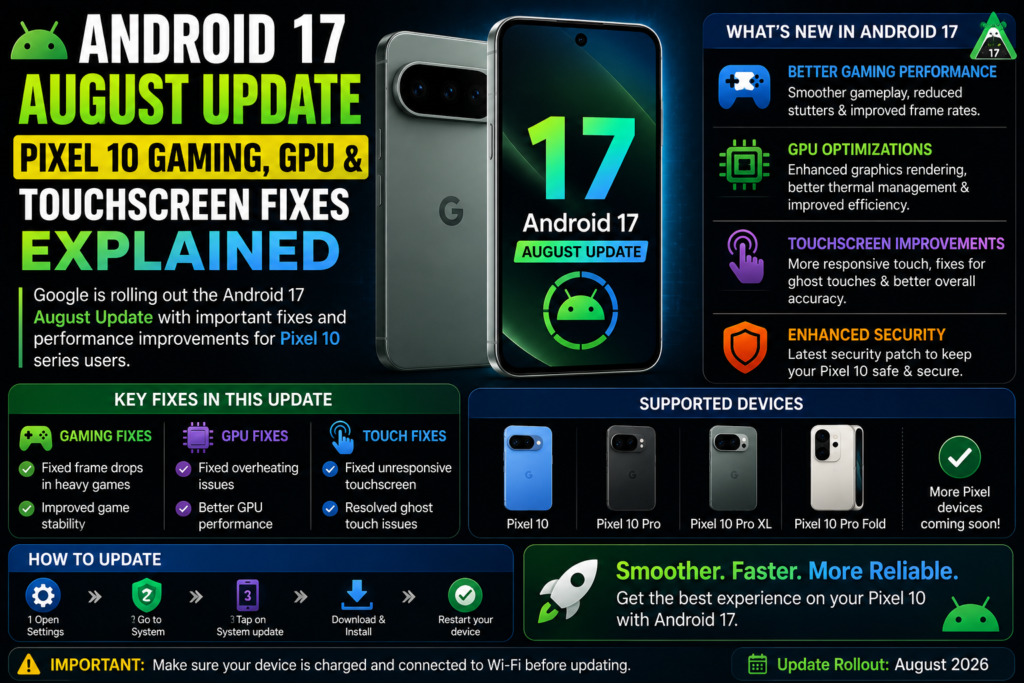
If you own a Pixel 10 and gaming or touch responsiveness has felt off lately, Google’s August 2026 Android 17 update is squarely aimed at you. Rather than adding new features, this month’s release is a targeted stability patch — and three fixes in particular stand out as direct responses to real, reported Pixel 10 problems.
Here’s what each one actually fixes, and why it matters.
The rollout basics
- Start date: August 4, 2026, rolling out in phases over roughly a week
- Build number: CP2A.260805.005 (global)
- Security patch level: 2026-08-05
- Check for it: Settings > System > System update > Check for update
Fix #1: Touchscreen unresponsiveness
The headline fix addresses touchscreen unresponsiveness affecting certain Pixel 10 devices — a frustrating, hard-to-work-around issue since it touches the most basic interaction layer of the phone. Google didn’t detail the exact technical root cause publicly, but the fact that it’s called out specifically (rather than folded into a generic “stability improvements” line) suggests this was a widely reported enough issue to warrant a dedicated patch rather than waiting for the next scheduled feature release.
What this means for you: if you’ve noticed intermittent touch lag, missed taps, or dead zones on your screen, this update is the direct fix. It’s worth installing promptly rather than waiting, since it’s addressing a core usability problem, not a minor edge case.
Fix #2: Gaming app crashes
The second fix targets crashes in gaming apps under specific conditions. Google’s patch notes don’t name which titles were affected, but the framing — “under specific conditions” — suggests this wasn’t a universal gaming failure but a triggerable bug tied to particular hardware states, graphics loads, or app behaviors that only showed up in certain scenarios.
What this means for you: if you’ve had a game crash unexpectedly on your Pixel 10, particularly one that felt reproducible under similar conditions each time, this patch is designed to resolve that instability.
Fix #3: GPU performance optimizations
Rounding out the trio, Google included general GPU performance optimizations aimed at improving graphics performance in certain scenarios. This one reads less like a bug fix and more like a tuning pass — the kind of change that won’t necessarily fix a crash, but should make graphically intensive apps and games run more smoothly day to day.
What this means for you: expect potentially smoother frame rates and reduced graphical hitching in demanding apps, even if you weren’t experiencing outright crashes before.
Why these three, together
It’s worth noting these fixes cluster around the same general area — the graphics and touch-input pipeline — rather than being unrelated patches bundled together by coincidence. Touchscreen responsiveness, gaming stability, and GPU performance all sit close to each other in a phone’s hardware/software stack, so it’s plausible (though not confirmed by Google) that these issues shared some underlying root cause, or at least surfaced from the same wave of post-launch Pixel 10 testing and user reports.
There’s also a real security fix in the same update
Beyond the gaming and touch fixes, this update patches CVE-2026-0163, a high-severity elevation-of-privilege vulnerability in the Video Processing Unit. It’s not related to the gaming or touchscreen issues, but it’s a good reason to install the update promptly regardless of whether you’ve personally noticed the touch or gaming problems.
Which devices get this update
This month’s rollout covers Pixel 8, Pixel 8a, the Pixel 9 lineup, the Pixel 10 lineup, and the Pixel 10a. Pixel 6 and Pixel 7 series devices are not included in this update — support for the Pixel 6 line in particular appears to be winding down, with the phone expected to lose update support entirely in the coming months.
The takeaway
This isn’t a flashy update, but if you’ve been dealing with any of these three issues on your Pixel 10 — unresponsive touch, gaming crashes, or sluggish graphics — it’s a genuinely targeted fix, not a placebo “general improvements” patch. Combined with a high-severity security fix in the same release, it’s worth installing as soon as it reaches your device rather than letting it sit.